TL;DR:
- Most B2B sales teams face an organizational, not technical, CRM integration challenge.
- Proper integration significantly boosts revenue, forecast accuracy, and sales productivity.
- Successful integration depends on clear goals, team collaboration, and focused process alignment.
Most B2B sales teams believe they have a data problem. In reality, they have an integration problem. 73% of B2B sales teams waste $2,340 per rep per year because their tools don’t talk to each other. That adds up fast across a 50-person sales organization. CRM integration fixes this by connecting your customer relationship management system with every other tool your team depends on. This guide explains exactly what CRM integration is, what it delivers, how to implement it, and what pitfalls to avoid—so you can make confident decisions that drive real revenue growth.
Table of Contents
- What CRM integration really means
- Key benefits of CRM integration for sales teams
- How CRM integration works in modern B2B organizations
- Addressing CRM integration challenges and pitfalls
- What most CRM integration advice gets wrong
- Ready to level up your CRM integration?
- Frequently asked questions
Key Takeaways
| Point | Details |
|---|---|
| Clear integration value | CRM integration measurably boosts revenue, efficiency, and data quality for B2B sales teams. |
| Multiple implementation options | iPaaS, APIs, and native connectors all offer paths to effective CRM integration. |
| Avoid common pitfalls | Alignment across teams and clear ownership are critical for integration success. |
| Continuous measurement | Tracking outcomes is more important than chasing every integration feature. |
What CRM integration really means
CRM integration is the process of connecting your CRM system with other business-critical tools: lead generation platforms, marketing automation software, customer support systems, billing tools, and more. The goal is to create a seamless, automated flow of data across your entire go-to-market operation—so nothing falls through the cracks and your team isn’t manually copying information between systems.
This is where most people get it wrong. CRM integration is not just syncing contacts between two platforms. It’s not automatically generating a weekly activity report. True integration means that when a lead fills out a form on your website, that data flows into your CRM, triggers a sales sequence, updates the opportunity stage, and notifies the right rep—all without human intervention.
Here are the most common systems B2B sales organizations integrate with their CRM:
- Lead generation platforms (e.g., LinkedIn Sales Navigator, ZoomInfo)
- Marketing automation tools (e.g., HubSpot Marketing Hub, Marketo)
- Customer support platforms (e.g., Zendesk, Intercom)
- ERP and billing systems (e.g., SAP, NetSuite)
- Sales enablement platforms (e.g., Uman)
- Communication tools (e.g., Slack, Microsoft Teams, email clients)
The business case is straightforward. Organizations that integrate CRM with lead generation see 35% ARR growth compared to just 19% for those using CRM alone. That’s not a marginal difference. That’s a structural advantage.
“The question is no longer whether to integrate your CRM, but how fast you can do it without breaking what already works.”
The immediate workflow impact is just as significant. Reps stop wasting time on manual data entry. Managers get accurate pipeline visibility. Marketing and sales finally share the same picture of what’s working. If you want to go deeper on the operational side, enhancing CRM efficiency starts with understanding these foundational connections. And if you’re earlier in your thinking, exploring how transforming B2B sales with CRM creates strategic value is a useful starting point.
Pro Tip: Before evaluating any integration tool, document your current workflow gaps first. Integration without a clear goal is just expensive complexity.
Key benefits of CRM integration for sales teams
Now that we understand what CRM integration is, let’s explore the actual benefits your sales team can expect.
The numbers tell a consistent story. Integrated CRM systems deliver 16 to 18% ARR growth, a 22% net revenue retention (NRR) uplift, and 18 to 20% higher conversion rates compared to non-integrated setups. One case study showed a 92% reduction in data latency—meaning reps had near-real-time information instead of data that was hours or days old.
| Metric | CRM only | Integrated CRM |
|---|---|---|
| ARR growth | 19% | 35% |
| Conversion rate improvement | Baseline | 18 to 20% higher |
| Net revenue retention uplift | Baseline | 22% higher |
| Data latency reduction | None | Up to 92% |
Here’s how those numbers translate into day-to-day reality for your team:
- Time savings. Reps stop toggling between five different tools. Automated data sync means they spend more time selling and less time administering.
- Improved forecasting. Managers see a single, accurate view of pipeline status. Forecast calls become conversations about strategy, not data reconciliation.
- Automated handoffs. When a lead reaches a certain score or stage, the CRM automatically routes it to the right rep or team. No deals fall through cracks at handoff points.
- Higher rep productivity. With less administrative burden, reps can handle more accounts without sacrificing quality. This is especially critical in organizations managing broad service portfolios.
- Smarter account management. Integrated data surfaces cross-sell and upsell signals that would otherwise stay buried in siloed systems.
The hidden benefit is focus. When your CRM is properly integrated, your reps stop being data janitors and start being sellers. That shift alone can change the culture of a sales team. Reviewing CRM best practices for B2B organizations shows how this plays out across different team structures. The Akkodis CRM success story is a strong example of these outcomes in a real IT services environment.

How CRM integration works in modern B2B organizations
Armed with the why, let’s look at the how of making CRM integration a reality in your organization.
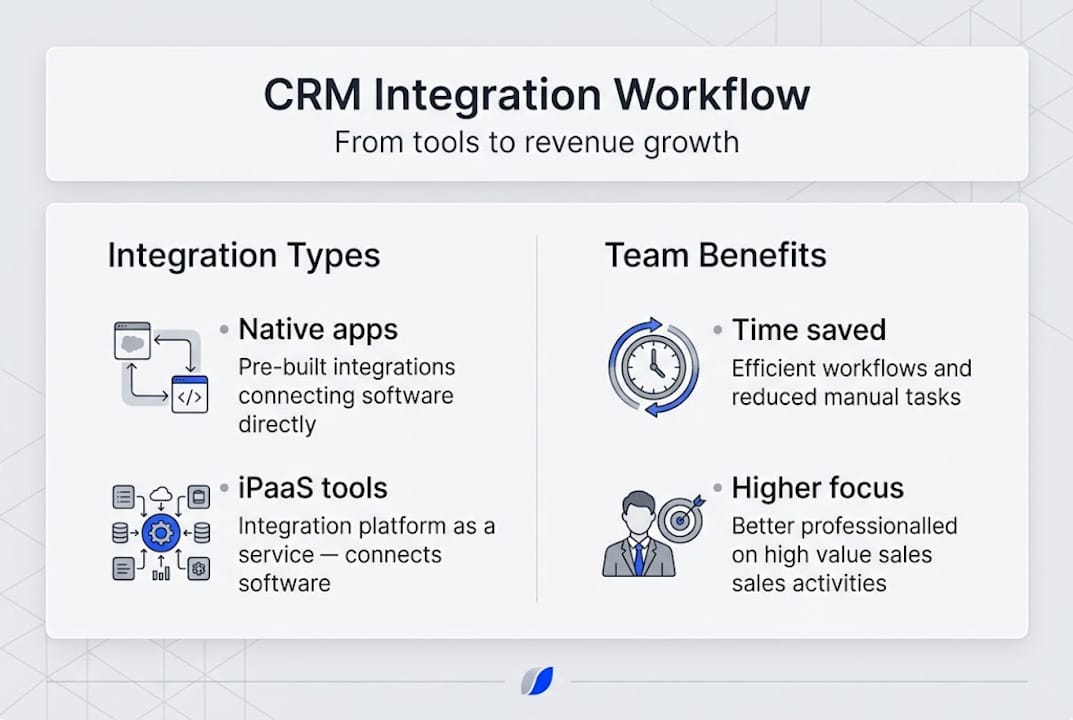
There are three primary approaches to integrating your CRM with other systems:
1. Native connectors. Many CRMs offer built-in integrations with popular tools. These are fast to set up and low-cost, but they’re often limited in the data they can pass and the logic they can apply.
2. iPaaS (Integration Platform as a Service). Platforms like Zapier, Make, or MuleSoft sit between your tools and handle the data routing logic. iPaaS reduces CRM integration setup time by 40 to 60%, making it the preferred option for mid-size and enterprise organizations.
3. Custom API integrations. Your engineering team builds direct connections between systems using each platform’s API. This offers maximum flexibility but requires significant time, cost, and ongoing maintenance.
| Approach | Setup time | Cost | Flexibility | Best for |
|---|---|---|---|---|
| Native connectors | Low | Low | Limited | Small teams, simple needs |
| iPaaS | Medium | Medium | High | Mid-market and enterprise |
| Custom API | High | High | Maximum | Unique or legacy systems |
The implementation process typically follows five steps:
- Identify integration needs. Which tools does your sales team use daily? Where do handoffs break down?
- Map your data. What information needs to flow between which systems, and in which direction?
- Choose your integration method. Based on complexity, budget, and your IT team’s capacity.
- Test before you roll out. Run integrations in a staging environment with real but anonymized data.
- Roll out with training. Even well-built integrations fail if reps don’t know how to use them.
Pro Tip: Prioritize platforms with robust API documentation and support. Flexibility now prevents painful rebuilds later as your tech stack evolves.
For organizations exploring AI in CRM integration, AI-powered layers can further automate data enrichment and prospecting signals on top of a well-integrated CRM foundation. The Plat4mation integration story shows how an IT consulting firm structured this kind of layered approach effectively.
Addressing CRM integration challenges and pitfalls
Even with the best plans, integration projects hit snags. Here’s what to look out for—and how to do it right.
73% of B2B sales teams waste time and money due to poor integration and tool overlap. The root causes are almost always organizational, not technical. The technology is rarely the problem. The people, processes, and governance around it usually are.
Here are the most common red flags to watch for:
- Unclear ownership. No single person or team is accountable for integration quality and upkeep. Integrations break and nobody notices for weeks.
- Siloed data governance. Sales, marketing, and ops each maintain their own version of truth. Integrations connect systems but can’t fix underlying data inconsistencies.
- Tool overload. Adding more integrations without retiring old tools creates complexity that slows everyone down.
- Underestimating scope. Teams assume an integration will take two weeks. It takes four months. Budget and goodwill evaporate.
- Skipping change management. Reps revert to old habits if leadership doesn’t reinforce the new workflow and explain the benefit to them personally.
The collaboration point matters more than most integration guides acknowledge. Sales and IT must work together from day one. Sales leaders understand the workflow; IT understands the architecture. Neither group can succeed without the other.
“The best integration project we ran was the one where a sales director and a solutions architect co-owned the rollout from kickoff to training. Every other project where they were separate created friction that slowed adoption.”
Thinking about where your organization currently stands? An AI readiness assessment can help you identify gaps before you commit to an integration approach. And if you’re weighing the efficiency case more broadly, reviewing how AI for sales efficiency compounds on top of CRM integration gives you a clearer picture of the full opportunity.
What most CRM integration advice gets wrong
Most integration guides are really tool selection guides wearing a disguise. They walk you through feature comparisons, pricing tiers, and connector counts. What they rarely address is the organizational reality that determines whether any integration actually sticks.
The real difference between integration projects that transform sales performance and those that quietly die after six months comes down to three things: workflow alignment, user incentives, and leadership commitment. Not the tool. Not the number of native connectors.
We’ve seen organizations invest heavily in sophisticated iPaaS platforms and still see reps logging data manually six months later—because nobody changed the behavior, only the technology. Conversely, simple native connectors can drive massive productivity gains when the process design is solid and managers reinforce adoption.
The practical insight here is this: measure outcomes, not features. Don’t ask “does our integration support real-time sync?” Ask “are our reps spending less time on data entry this quarter than last quarter?” The actionable CRM steps that move the needle are almost always process-level, not technology-level.
Ready to level up your CRM integration?
If you’re looking to act on these insights, here’s how Uman can support your integration journey.
Uman is built for exactly the kind of complex B2B sales environment this article describes—where broad portfolios, large teams, and high administrative overhead create friction at every stage of the sales cycle. The Uman platform integrates directly with your existing CRM and document management systems, adding an AI-powered knowledge layer that automates meeting preparation, CRM updates, and cross-sell identification. You can explore specific capabilities through account management tools and deal execution solutions, or review customer stories to see how teams like yours have made integration work in practice.
Frequently asked questions
What is CRM integration in sales?
CRM integration is the process of connecting your CRM system with other sales, marketing, and operations tools to automate data flow and enhance team efficiency. When done well, it streamlines data and boosts revenue outcomes across the entire sales cycle.
How does CRM integration improve sales team performance?
CRM integration reduces manual work, delivers real-time data to reps, and supports higher annual revenue and conversion rates. Integrated CRM systems boost rep productivity by eliminating data entry and surfacing the right information at the right moment.
What is iPaaS in the context of CRM integration?
iPaaS stands for Integration Platform as a Service—it simplifies connecting CRMs with other software and can reduce setup time by up to 60%, making it the most practical option for most mid-market and enterprise B2B teams.
What is the biggest challenge with CRM integration?
The main challenge is managing data consistency and aligning teams across sales, marketing, and IT. Without clear leadership, 73% of B2B sales teams waste resources due to poor integration planning and tool overlap.
Recommended